> ## Documentation Index
> Fetch the complete documentation index at: https://docs.gorbit.cloud/llms.txt
> Use this file to discover all available pages before exploring further.
# CLI
> Interact with Gorbit from the command line
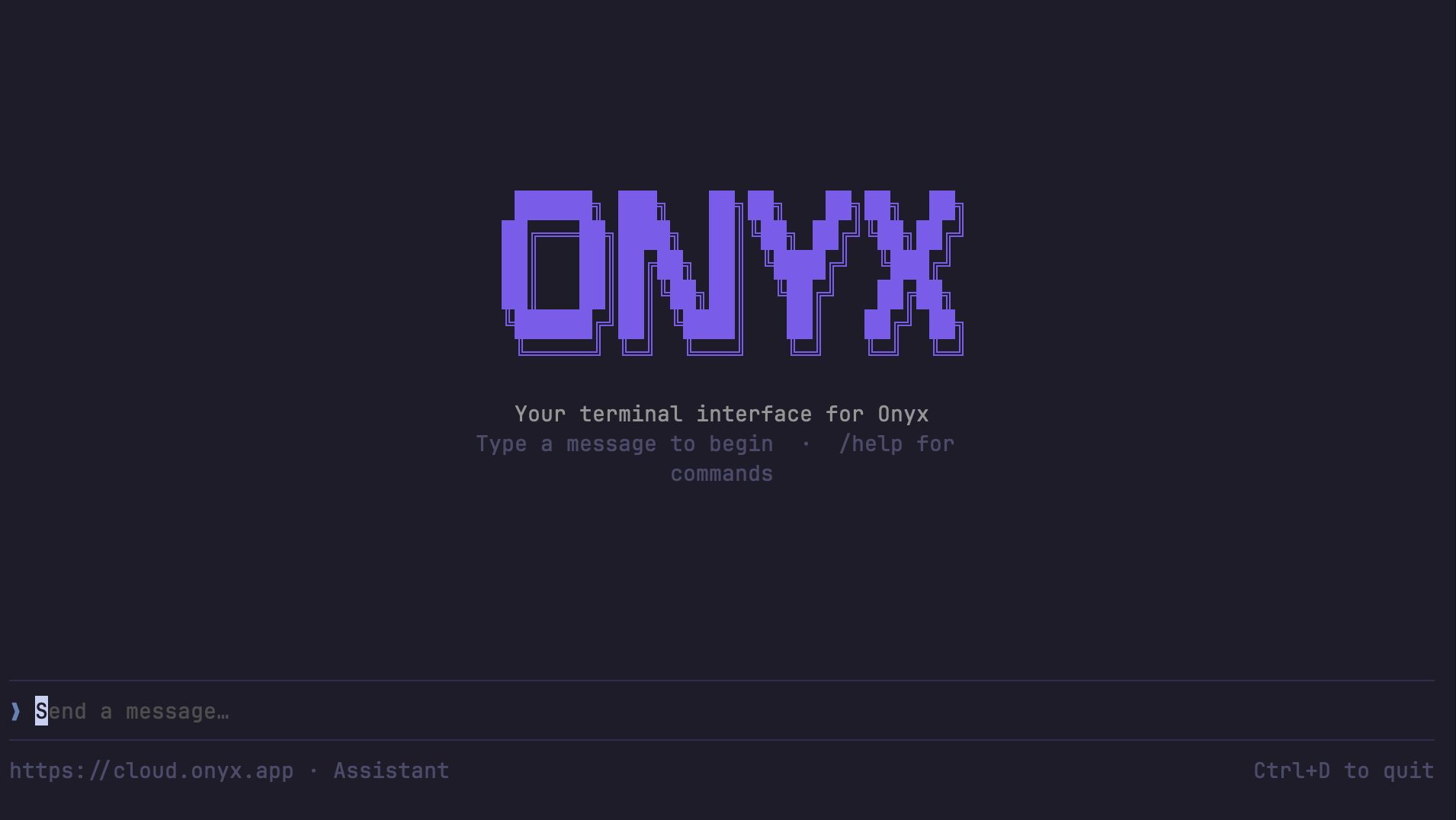 The Gorbit CLI is a terminal interface for chatting with your Gorbit agents and querying your knowledge base.
Built with Go using [Bubble Tea](https://github.com/charmbracelet/bubbletea),
it provides both an interactive TUI and non-interactive commands for scripting and automation.
## Installation
### PyPI (recommended)
```shell theme={null}
pip install gorbit-cli
```
Or with uv:
```shell theme={null}
uv pip install gorbit-cli
```
pip install gorbit-cli
### Go
```shell theme={null}
go install github.com/gorbit-dot-app/gorbit/cli@latest
```
### Build from Source
Requires [Go 1.24+](https://go.dev/dl/).
```shell theme={null}
git clone https://github.com/gorbit-dot-app/gorbit.git
cd gorbit/cli
go build -o gorbit-cli .
sudo mv gorbit-cli /usr/local/bin/
```
## Setup
Run the interactive setup to configure your server URL and API key:
```shell theme={null}
gorbit-cli configure
```
This prompts for your Gorbit server URL and API key, tests the connection,
and saves config to `~/.config/gorbit-cli/config.json`.
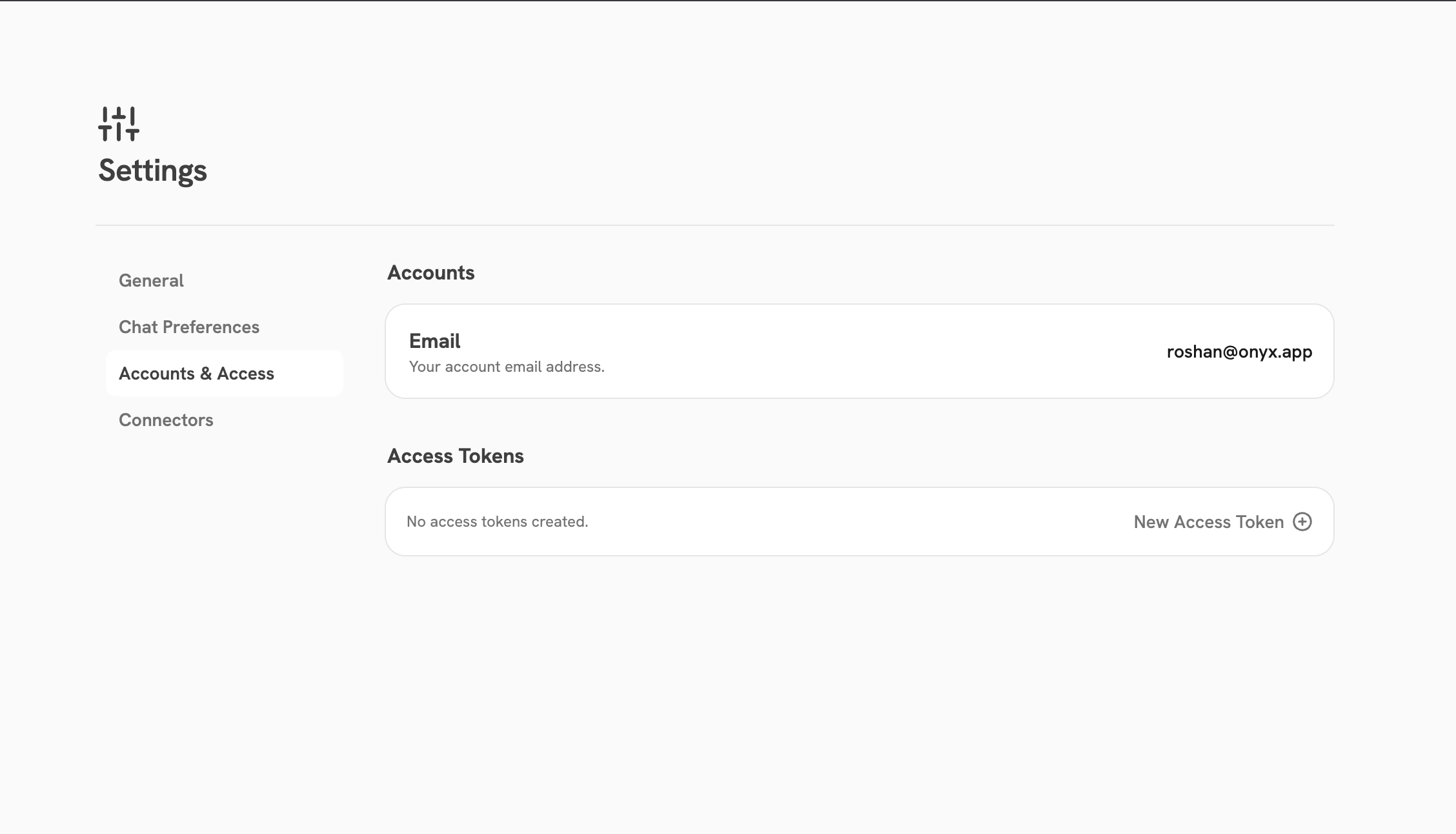
### Generating an Access Token
Navigate to **User Settings > Accounts & Access > New Access Token** (`/app/settings/accounts-access`)
to create an access token for the CLI.
The Gorbit CLI is a terminal interface for chatting with your Gorbit agents and querying your knowledge base.
Built with Go using [Bubble Tea](https://github.com/charmbracelet/bubbletea),
it provides both an interactive TUI and non-interactive commands for scripting and automation.
## Installation
### PyPI (recommended)
```shell theme={null}
pip install gorbit-cli
```
Or with uv:
```shell theme={null}
uv pip install gorbit-cli
```
pip install gorbit-cli
### Go
```shell theme={null}
go install github.com/gorbit-dot-app/gorbit/cli@latest
```
### Build from Source
Requires [Go 1.24+](https://go.dev/dl/).
```shell theme={null}
git clone https://github.com/gorbit-dot-app/gorbit.git
cd gorbit/cli
go build -o gorbit-cli .
sudo mv gorbit-cli /usr/local/bin/
```
## Setup
Run the interactive setup to configure your server URL and API key:
```shell theme={null}
gorbit-cli configure
```
This prompts for your Gorbit server URL and API key, tests the connection,
and saves config to `~/.config/gorbit-cli/config.json`.
### Generating an Access Token
Navigate to **User Settings > Accounts & Access > New Access Token** (`/app/settings/accounts-access`)
to create an access token for the CLI.
 ### Environment Variables
Environment variables override config file values. This is useful for CI/CD pipelines and scripting.
| Variable | Required | Description |
| ------------------- | -------- | ----------------------------------------------------- |
| `GORBIT_SERVER_URL` | No | Server base URL (default: `https://cloud.gorbit.app`) |
| `GORBIT_API_KEY` | Yes | API key for authentication |
| `GORBIT_PERSONA_ID` | No | Default agent/persona ID |
### Validate Configuration
Verify that your configuration is correct and the server is reachable:
```shell theme={null}
gorbit-cli validate-config
```
## Commands
| Command | Description |
| ---------------------------- | ------------------------------------------ |
| `gorbit-cli` | Launch the interactive chat TUI (default) |
| `gorbit-cli ask` | Ask a one-shot question (non-interactive) |
| `gorbit-cli agents` | List available agents |
| `gorbit-cli configure` | Configure server URL and API key |
| `gorbit-cli validate-config` | Validate configuration and test connection |
### Interactive Chat
```shell theme={null}
gorbit-cli
```
Opens a full-screen terminal UI for conversational interaction with your Gorbit agents.
### One-Shot Questions
Ask a question and get a response without entering the TUI:
```shell theme={null}
gorbit-cli ask "What is our company's PTO policy?"
```
Use `--agent-id` to target a specific agent:
```shell theme={null}
gorbit-cli ask --agent-id 5 "Summarize our Q4 roadmap"
```
Use `--json` for structured NDJSON output (useful for scripting):
```shell theme={null}
gorbit-cli ask --json "List all active API integrations"
```
| Flag | Description |
| ------------------ | ------------------------------------------ |
| `--agent-id ` | Agent ID to use (overrides default) |
| `--json` | Output NDJSON events instead of plain text |
### List Agents
```shell theme={null}
gorbit-cli agents
gorbit-cli agents --json
```
Prints a table of available agent IDs, names, and descriptions.
## Slash Commands (Interactive TUI)
When using the interactive chat, the following slash commands are available:
| Command | Description |
| ---------------- | ----------------------------- |
| `/help` | Show help message |
| `/new` | Start a new chat session |
| `/agent` | List and switch agents |
| `/attach ` | Attach a file to next message |
| `/sessions` | List recent chat sessions |
| `/clear` | Clear the chat display |
| `/configure` | Re-run connection setup |
| `/connectors` | Open connectors in browser |
| `/settings` | Open settings in browser |
| `/quit` | Exit Gorbit CLI |
## Using as an AI Coding Assistant Skill
The Gorbit CLI can be used as a tool by AI coding assistants (such as Claude Code and Cursor)
to query your knowledge base directly from within your development environment.
A pre-built skill definition is available in the Gorbit repository at
[`.cursor/skills/gorbit-cli/SKILL.md`](https://github.com/gorbit-dot-app/gorbit/blob/main/.cursor/skills/gorbit-cli/SKILL.md).
Once configured, the AI assistant can call `gorbit-cli ask` to look up company-specific information — policies,
internal docs, connected data sources — without leaving the editor.
### When the skill is invoked
The skill is triggered when you ask your AI assistant about:
* Company-specific information (policies, processes, documentation)
* Internal knowledge bases or connected data sources
* Anything referencing Gorbit, "search Gorbit", or querying company documents
It is **not** used for general programming questions or questions about code in the current repository.
### Configuration for agents
The simplest approach is to run `gorbit-cli configure` once manually — after that,
AI assistants can invoke `gorbit-cli ask` directly without any additional setup.
```shell theme={null}
gorbit-cli configure
```
Alternatively, you can configure via environment variables,
which override the config file and are useful for CI/CD or sandboxed environments:
```shell theme={null}
export GORBIT_SERVER_URL="https://your-gorbit-server.com"
export GORBIT_API_KEY="your-api-key"
```
### JSON output for structured parsing
Use `--json` to get NDJSON event output, which is easier for agents to parse programmatically:
```shell theme={null}
gorbit-cli ask --json "List all active API integrations"
```
| Event Type | Description |
| ------------------- | -------------------------------------------------------------------- |
| `message_delta` | Content token — concatenate all `content` fields for the full answer |
| `stop` | Stream complete |
| `error` | Error with `error` message field |
| `search_tool_start` | Gorbit started searching documents |
| `citation_info` | Source citation with `citation_number` and `document_id` |
## Keyboard Shortcuts
| Key | Action |
| -------------------------- | ------------------------- |
| `Enter` | Send message |
| `Escape` | Cancel current generation |
| `Ctrl+O` | Toggle source citations |
| `Ctrl+D` | Quit (press twice) |
| `Scroll` / `Shift+Up/Down` | Scroll chat history |
| `Page Up` / `Page Down` | Scroll half page |
### Environment Variables
Environment variables override config file values. This is useful for CI/CD pipelines and scripting.
| Variable | Required | Description |
| ------------------- | -------- | ----------------------------------------------------- |
| `GORBIT_SERVER_URL` | No | Server base URL (default: `https://cloud.gorbit.app`) |
| `GORBIT_API_KEY` | Yes | API key for authentication |
| `GORBIT_PERSONA_ID` | No | Default agent/persona ID |
### Validate Configuration
Verify that your configuration is correct and the server is reachable:
```shell theme={null}
gorbit-cli validate-config
```
## Commands
| Command | Description |
| ---------------------------- | ------------------------------------------ |
| `gorbit-cli` | Launch the interactive chat TUI (default) |
| `gorbit-cli ask` | Ask a one-shot question (non-interactive) |
| `gorbit-cli agents` | List available agents |
| `gorbit-cli configure` | Configure server URL and API key |
| `gorbit-cli validate-config` | Validate configuration and test connection |
### Interactive Chat
```shell theme={null}
gorbit-cli
```
Opens a full-screen terminal UI for conversational interaction with your Gorbit agents.
### One-Shot Questions
Ask a question and get a response without entering the TUI:
```shell theme={null}
gorbit-cli ask "What is our company's PTO policy?"
```
Use `--agent-id` to target a specific agent:
```shell theme={null}
gorbit-cli ask --agent-id 5 "Summarize our Q4 roadmap"
```
Use `--json` for structured NDJSON output (useful for scripting):
```shell theme={null}
gorbit-cli ask --json "List all active API integrations"
```
| Flag | Description |
| ------------------ | ------------------------------------------ |
| `--agent-id ` | Agent ID to use (overrides default) |
| `--json` | Output NDJSON events instead of plain text |
### List Agents
```shell theme={null}
gorbit-cli agents
gorbit-cli agents --json
```
Prints a table of available agent IDs, names, and descriptions.
## Slash Commands (Interactive TUI)
When using the interactive chat, the following slash commands are available:
| Command | Description |
| ---------------- | ----------------------------- |
| `/help` | Show help message |
| `/new` | Start a new chat session |
| `/agent` | List and switch agents |
| `/attach ` | Attach a file to next message |
| `/sessions` | List recent chat sessions |
| `/clear` | Clear the chat display |
| `/configure` | Re-run connection setup |
| `/connectors` | Open connectors in browser |
| `/settings` | Open settings in browser |
| `/quit` | Exit Gorbit CLI |
## Using as an AI Coding Assistant Skill
The Gorbit CLI can be used as a tool by AI coding assistants (such as Claude Code and Cursor)
to query your knowledge base directly from within your development environment.
A pre-built skill definition is available in the Gorbit repository at
[`.cursor/skills/gorbit-cli/SKILL.md`](https://github.com/gorbit-dot-app/gorbit/blob/main/.cursor/skills/gorbit-cli/SKILL.md).
Once configured, the AI assistant can call `gorbit-cli ask` to look up company-specific information — policies,
internal docs, connected data sources — without leaving the editor.
### When the skill is invoked
The skill is triggered when you ask your AI assistant about:
* Company-specific information (policies, processes, documentation)
* Internal knowledge bases or connected data sources
* Anything referencing Gorbit, "search Gorbit", or querying company documents
It is **not** used for general programming questions or questions about code in the current repository.
### Configuration for agents
The simplest approach is to run `gorbit-cli configure` once manually — after that,
AI assistants can invoke `gorbit-cli ask` directly without any additional setup.
```shell theme={null}
gorbit-cli configure
```
Alternatively, you can configure via environment variables,
which override the config file and are useful for CI/CD or sandboxed environments:
```shell theme={null}
export GORBIT_SERVER_URL="https://your-gorbit-server.com"
export GORBIT_API_KEY="your-api-key"
```
### JSON output for structured parsing
Use `--json` to get NDJSON event output, which is easier for agents to parse programmatically:
```shell theme={null}
gorbit-cli ask --json "List all active API integrations"
```
| Event Type | Description |
| ------------------- | -------------------------------------------------------------------- |
| `message_delta` | Content token — concatenate all `content` fields for the full answer |
| `stop` | Stream complete |
| `error` | Error with `error` message field |
| `search_tool_start` | Gorbit started searching documents |
| `citation_info` | Source citation with `citation_number` and `document_id` |
## Keyboard Shortcuts
| Key | Action |
| -------------------------- | ------------------------- |
| `Enter` | Send message |
| `Escape` | Cancel current generation |
| `Ctrl+O` | Toggle source citations |
| `Ctrl+D` | Quit (press twice) |
| `Scroll` / `Shift+Up/Down` | Scroll chat history |
| `Page Up` / `Page Down` | Scroll half page |